SMART HOME HUB
AUTOMATE PULSE PRO
The reliable, long-range smart home hub for your Automate motorized shades. Matter-compatible, voice-controlled, and built to cover an entire 3,000 sq ft home from a single device.
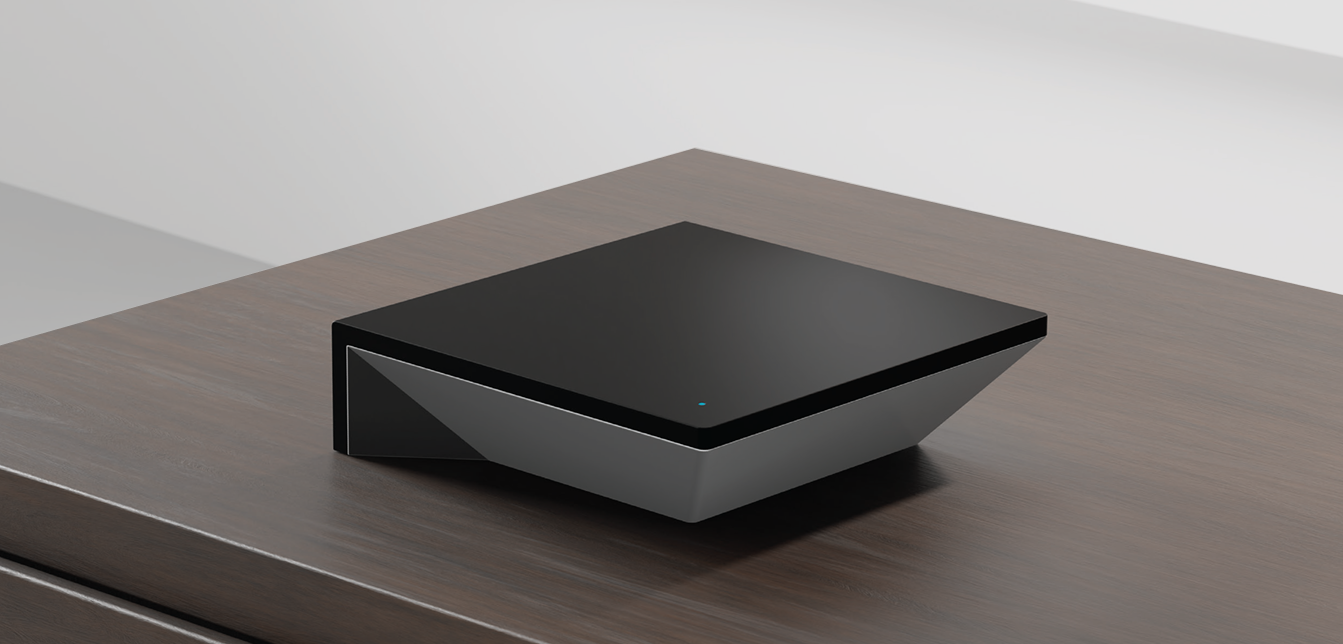

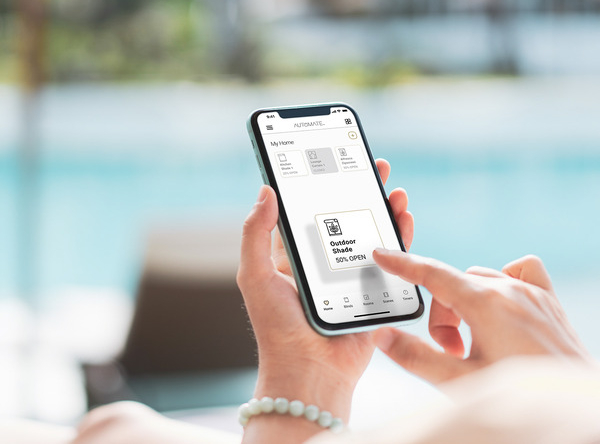
The RollEase Automate Pulse PRO is the central hub that connects your motorized shades to the internet, your smartphone, your voice assistants, and the rest of your smart home. Once it’s set up, you can control your shades from anywhere — opening them with a tap in the Automate Shades app, scheduling them to follow the sunrise and sunset, or telling Alexa, Siri, or Google Assistant to close the bedroom blinds.
It works with any Automate ARC motor (the bidirectional radio system used in all current Automate shade motors), and a single hub will cover an average 3,000 square foot home — even across multiple stories.
With built-in Matter compatibility, the Pulse PRO connects effortlessly to Apple HomeKit, Google Home, Amazon Alexa, Samsung SmartThings, and any other Matter-compatible platform without needing extra bridges or workarounds.
Control your shades with Siri, Alexa, or Google Assistant. "Close the kitchen shades" or "Open the living room a little." It just works.
The free Automate Shades app lets you control individual shades, entire rooms, or your whole home, whether you're home or away.
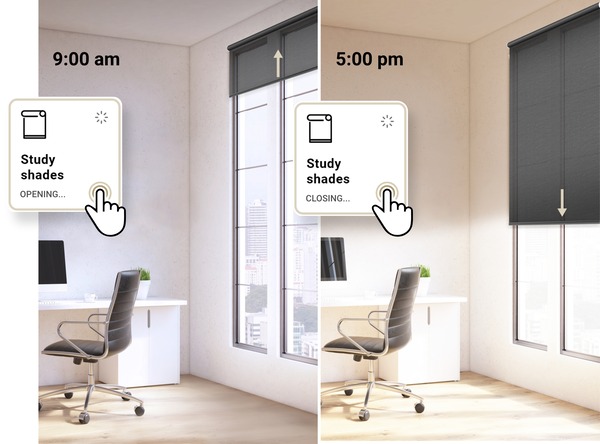
Set your shades to rise with the sun and lower at sunset automatically, based on your location and the time of year.
Create custom scenes (Good Morning, Movie Time, Bedtime) and schedule them to trigger automatically or activate with a single tap.
Move multiple shades at exactly the same time. Perfect for open-plan rooms where you want everything moving in sync.
Check battery levels, signal strength, and shade position in real time from the app, so you know exactly when a motor needs a charge.
If you’re replacing an older Pulse 2 hub, the Pulse PRO is the direct successor. The Pulse 2 has been discontinued by Rollease Acmeda, and all of its core features have been carried forward and improved in the Pulse PRO. Here’s how they compare:
| Feature | Pulse 2 (Discontinued) | Pulse PRO |
|---|---|---|
| Range | ~1,327 sq ft | 3,000 sq ft |
| Matter Compatibility | ✕ | ✓ |
| Simultaneous Group Control | ✕ | ✓ |
| ARC Bidirectional Communication | ✓ | ✓ |
| Shade Position & Battery Feedback | ✓ | ✓ |
| Shades per Hub | 30 | 30 |
| Wi-Fi / Ethernet Support | 2.4 GHz Wi-Fi only | 2.4 GHz Wi-Fi + Ethernet |
Bottom line: If you currently own a Pulse 2, you can keep using it — your existing motors will continue to work. But for new installations, or if you’re expanding your system, the Pulse PRO is the only hub Rollease Acmeda currently manufactures and supports.
Sold by RollEaseParts.com — the original Rollease Acmeda parts distributor
Through Matter compatibility, the Pulse PRO connects natively to:
For professional installations, the Pulse PRO has driver support and Quick Start guides for:
The Pulse PRO works with any current Automate ARC motor, including:
Most people have their Pulse PRO up and running in under 15 minutes. Here’s the short version:
Connect the included USB-C power cable and place the hub in a central, horizontal location.
Get the free Automate Shades app from the App Store or Google Play, create an account, and tap to connect your hub.
Add each shade through the app using either the remote or the P1 button on the motor head.
| Product SKU | MT02-5401-050001 |
| Range | 3,000 sq ft |
| Shade Control Frequency | 433.92 MHz (Bidirectional ARC) |
| Wi-Fi | 2.4 GHz only |
| Connectivity | Ethernet + Wi-Fi (Bluetooth for commissioning) |
| Input Voltage | 5V DC / 1A |
| Power Connection | USB-C (31″ / 80cm cable included) |
| Ethernet Cable Included | 39″ / 100cm |
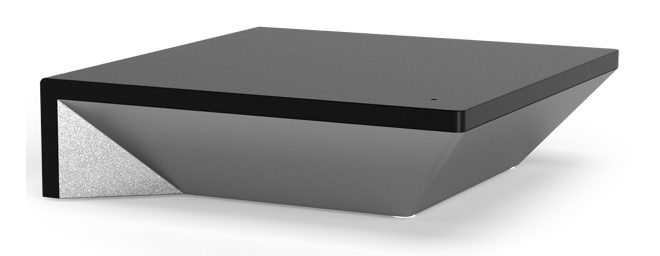
| Dimensions | 4.4″ × 4.4″ × 1.2″ (113 × 113 × 31 mm) |
| Operating Temperature | 32°F to 140°F (0°C to 60°C) |
| Protection Class | IP20 (indoor use only) |
| Devices per Hub | 30 shades |
| Rooms / Scenes / Timers | 30 rooms, 20 scenes, 20 timers per hub |
| Hubs per Account | 5 hubs per location, 5 locations per account |
| App Compatibility | iOS 12.4+ / Android 7+ (Android 11+ required for pairing) |
Will the Pulse PRO work with my older Automate shades?
Yes, as long as your motors use ARC (Automate Radio Communication), which has been standard on Automate motors for years. If you’re unsure whether your motor is ARC-compatible, look for the ARC logo on the motor head, or check the model number against the Rollease Acmeda product documentation. Older non-ARC motors are not compatible with the Pulse PRO.
Can I still use a handheld remote with my shades after pairing them to the Pulse PRO?
Yes. Pairing a shade to the Pulse PRO does not remove or override any existing remote control pairings. You can continue to control your shades with a Push remote, wall switch, or any other paired controller alongside the app and voice control.
Does the Pulse PRO need to be connected to the internet?
For initial setup and remote (away-from-home) control, yes. Once set up, if your internet goes down but your Wi-Fi router is still working, the hub will continue to control your shades locally — timers, scenes, room control, and individual shade operation all still work. If the entire network is down, your handheld remotes will still operate the shades directly.
How many shades can one Pulse PRO control?
Up to 30 shades per hub. If you have more than 30 shades, or if you have a multi-story home where one hub can’t reach all the motors reliably, you can add up to 5 hubs per location.
What if my Wi-Fi only has a 5 GHz network?
The Pulse PRO requires a 2.4 GHz Wi-Fi connection. Most modern routers broadcast both 2.4 GHz and 5 GHz networks, sometimes under the same name. If yours separates them, connect your phone to the 2.4 GHz network during setup. Alternatively, you can connect the hub via Ethernet and skip Wi-Fi setup entirely.
What do the lights on the hub mean?
The status LED tells you what state the hub is in. Here’s the quick reference:
| LED | Meaning |
|---|---|
| Blinking blue | Pairing mode — ready to be set up |
| Solid blue | Paired and online — everything’s working |
| Blinking red | No internet connection (check your router/ISP) |
| Solid red | Wi-Fi lost — hub can’t reach your network |
| Solid green | Soft reset in progress (clears Wi-Fi info) |
| Blinking orange | Factory reset in progress (clears everything) |
| Blinking violet | Firmware updating — do not unplug |
| Off | No power — check the USB-C cable |
How do I reset my Pulse PRO?
For a soft reset (clears Wi-Fi credentials but keeps paired shades), hold the P button on the back of the hub for 5 seconds until the LED turns solid green. For a full factory reset, hold the R button for 10 seconds until the LED returns to solid blue.
One of my shades shows "Offline" in the app. What do I do?
Offline usually means the hub can’t reach the shade by radio. First, check whether the shade still responds to its handheld remote. If the remote works, the shade is out of range of the hub — try moving the hub to a more central location, or deploying the motor’s antenna. If the remote doesn’t work either, the motor battery is likely depleted and needs to be recharged.
Do I need a smart speaker to use voice control?
Yes. To use voice commands through Alexa, Google Assistant, or Apple HomeKit, you’ll need a Matter-enabled smart speaker or display (Echo, Google Nest Hub, Apple HomePod, etc.). The Pulse PRO connects to these via Matter, but the speaker provides the voice recognition.
Direct from Rollease Acmeda, the latest manufacturer documentation for the Pulse PRO:
Ships from our US warehouse. Add it to your cart and start building your smart home today.